

Moodle is the Virtual Learning Environment (in portuguese, AVA) of the Federal Institute of Education, Science, and Technology of Rio Grande do Norte (IFRN), designed for the distance learning courses offered by IFRN. In this tutorial, you will learn how to access the platform through two different methods: SUAP and Gov.br.
Step-by-Step Guide: Access Moodle via SUAP
To get started, click the link http://ava.ifrn.edu.br to access the IFRN Moodle platform. Upon entering, you will be redirected to the SUAP login page.
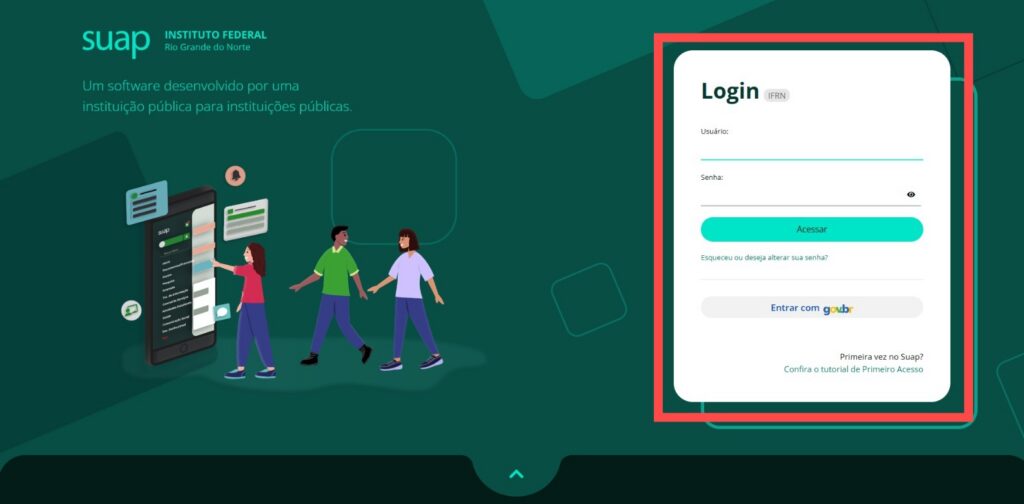
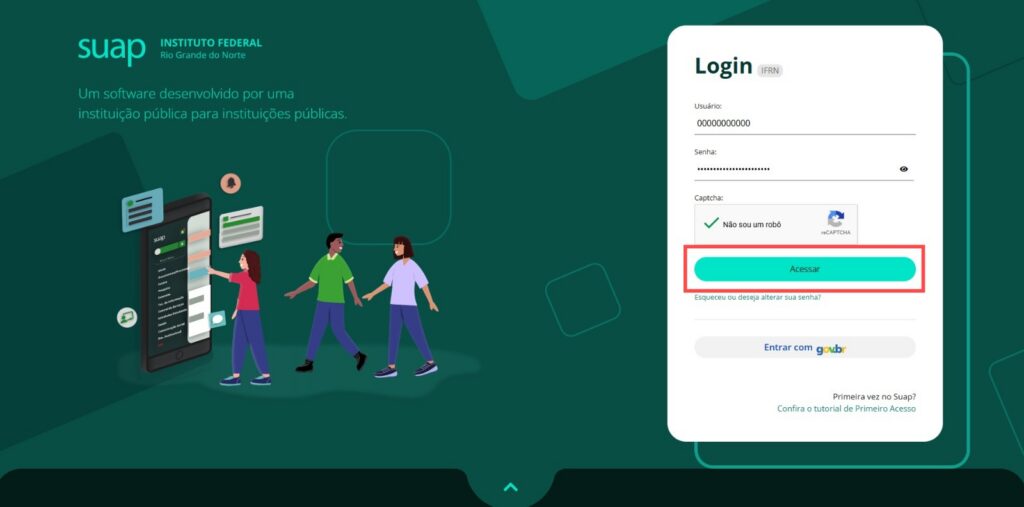
To continue and access Moodle, enter your username and password in the designated fields, then click the Log In button to access the platform.
If you have forgotten your login information or this is your first time logging in, click on the tutorial First-time access for regular students to IFRN systems for more details. If you don’t have a SUAP login, you just need to be registered on Gov.br to access Moodle.
Step-by-Step Guide: Access Moodle via Gov.br
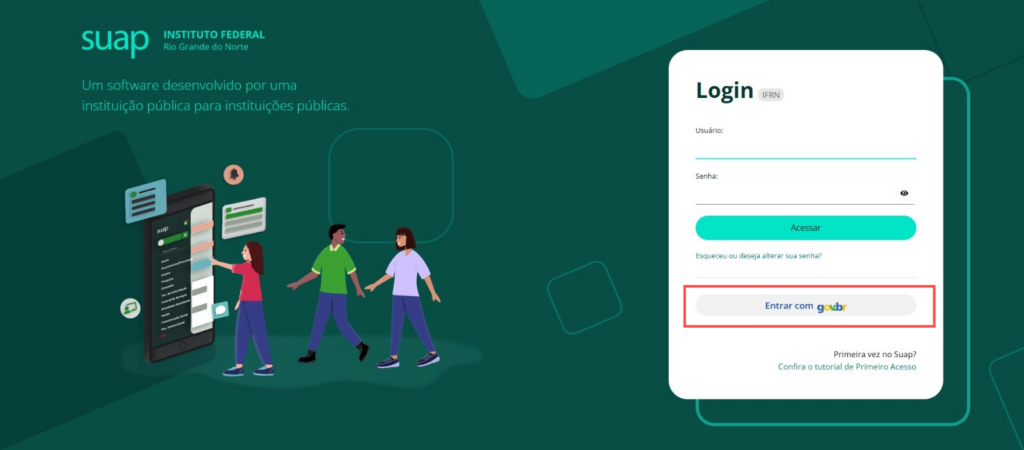
When you click on http://ava.ifrn.edu.br, you will be redirected to the Suap login page (as shown earlier). To continue, click Log in with gov.br, fill in the required fields (your CPF and password), and follow the Gov.br login steps.
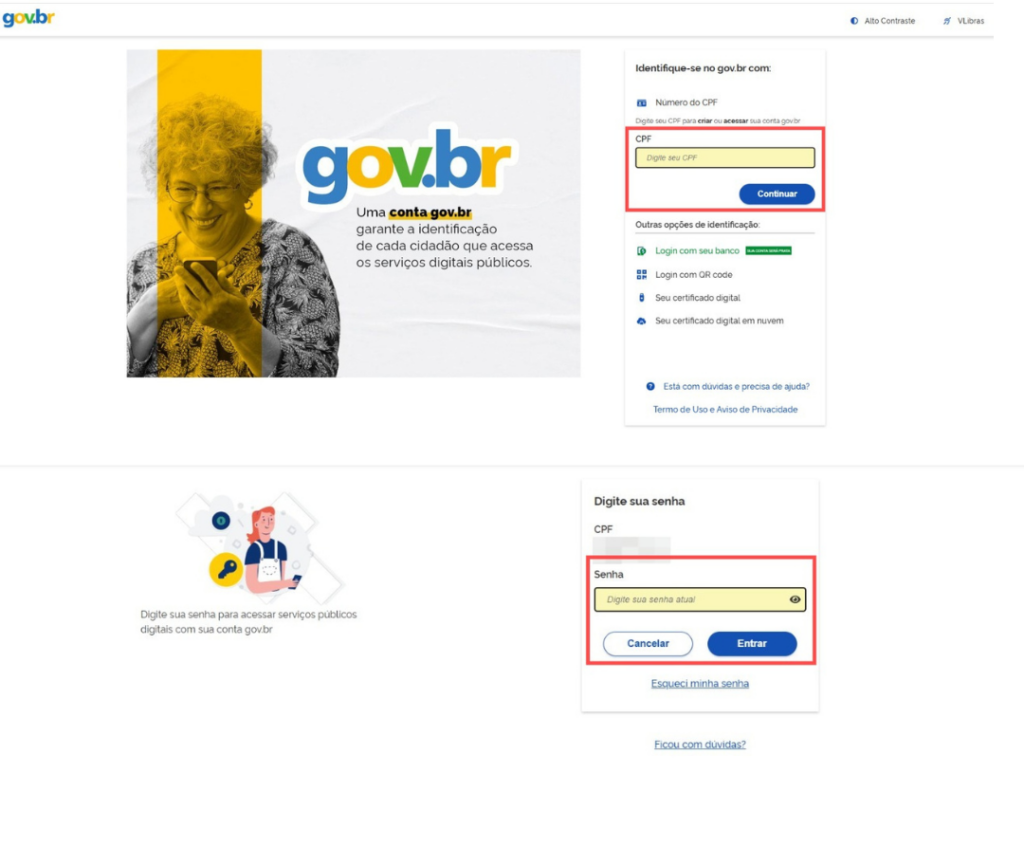
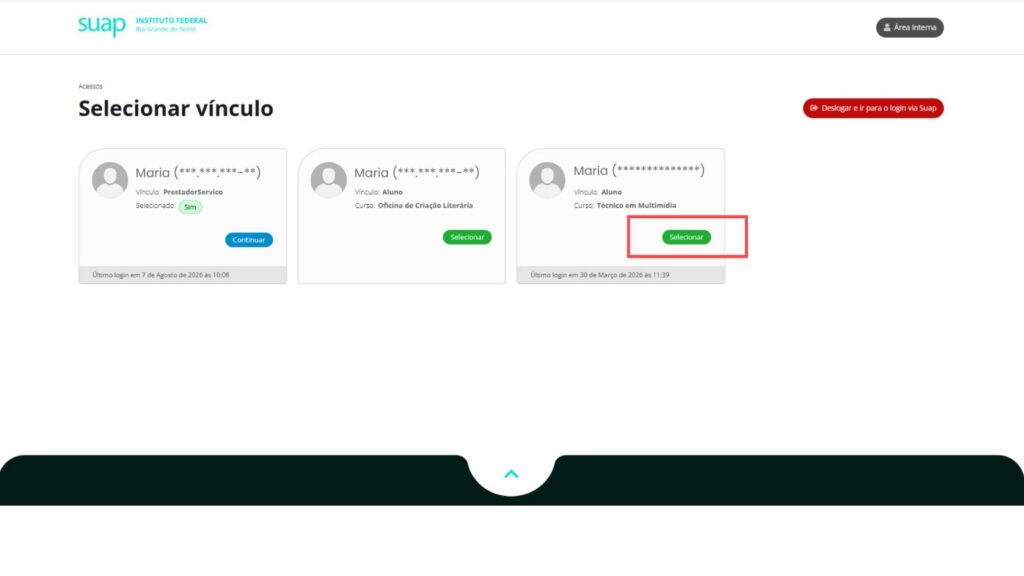
You will then be redirected to another page, where you must select the profile that corresponds to the connection you want. This will allow you to access the platform and take advantage of all its features.
Did you find any information that could be improved, or did you feel a tutorial was missing? You can suggest the creation of new content through the DEAD/ZL Service Center on SUAP by opening a ticket of the type “Request the creation of a tutorial for the Help Center.” If you have questions about how to open a ticket, see: https://ajuda.ead.ifrn.edu.br/como-abrir-um-chamado-para-servicos-e-aplicativos/.
