The Initial and Continuing Course in Brazilian Portuguese for Foreigners is a training program aimed at people from other countries who wish to learn the Portuguese language in its real-world use in Brazil.
The following steps are for foreign students selected for the Initial and Continuing Education Course in Brazilian Portuguese for Foreigner who want to pre-register.
Step 1: access SUAP
If this is your first time accessing the system, click this link and follow the instructions in the first-time access tutorial.
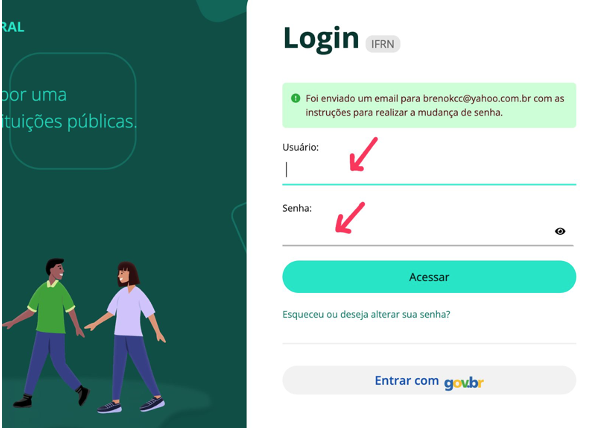
Then, go to https://suap.ifrn.edu.br, fill in the “Usuário” field with your passport number and the password you created during your first access in the “Senha” field. Finally, click “Access”.
Step 2: pre-registration
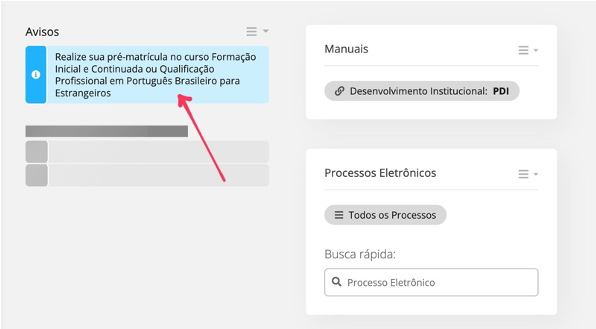
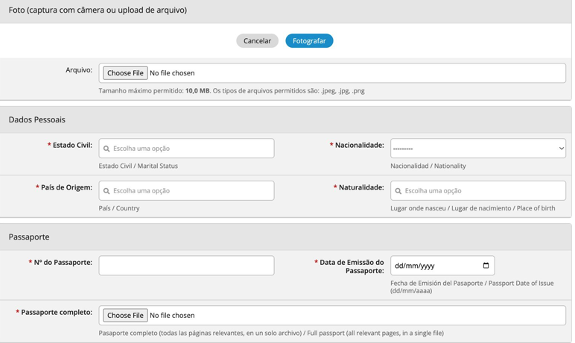
To begin the pre-registration process, click the link located in the upper corner of the SUAP homepage, which will direct you to a form that must be filled out with your information.
After that, click “Save” and proceed to the next step.
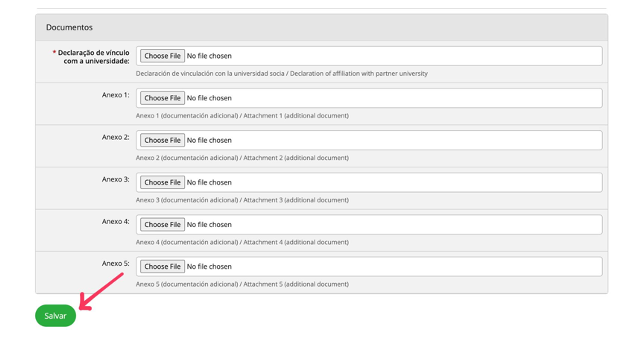
Step 3: data evaluation
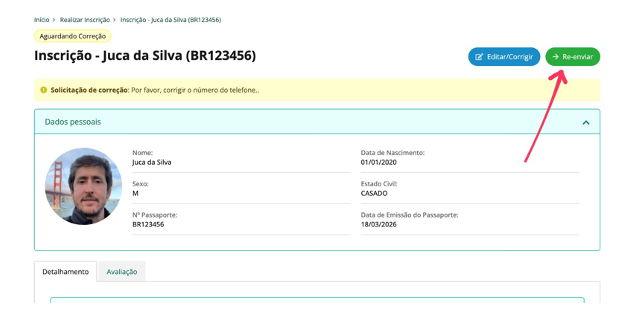
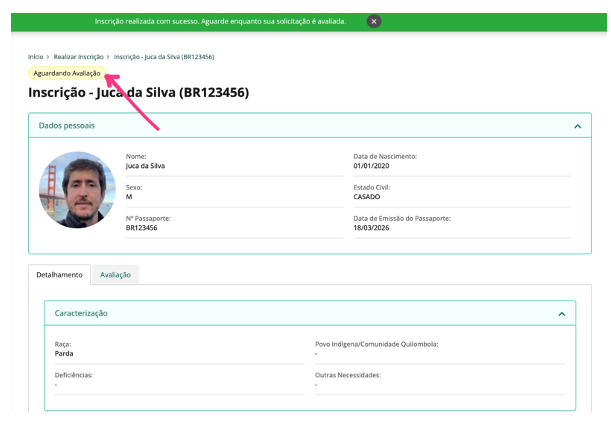
Immediately after submitting your data, your request will appear with the status “Aguardando Avaliação”. You may then receive a request to correct your data via email. If this happens, follow these instructions:
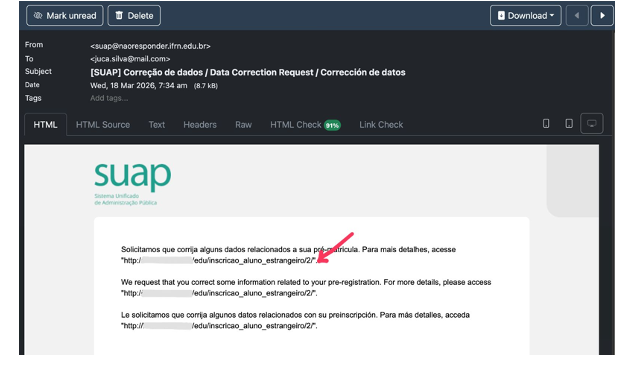
- Access the link sent to your email.
- The requested corrections will be highlighted at the top of the page.
- Click the “Editar/Corrigir” button.
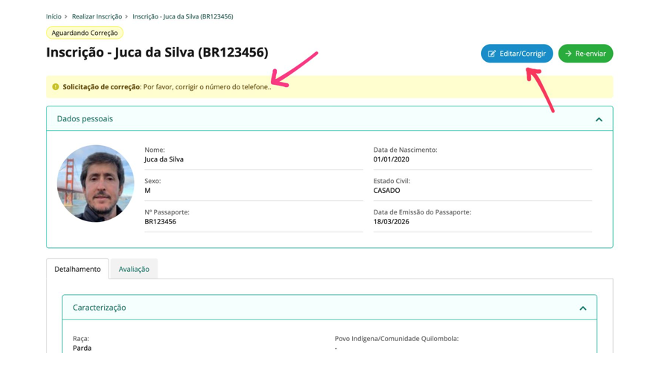
- After making the correction, click “Re-enviar”.