

Linguistic revision is essential to ensure the quality, the clarity and the appropriateness of texts produced in the academic and institutional contexts. Below you will learn how to open a request in SUAP for this type of service.
1. Login in SUAP
The first step is to make a login in your SUAP account.
2. Open a request
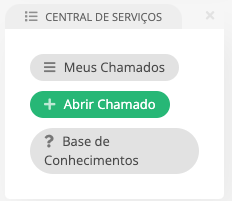
Then, you have to search on the homepage for “Central de Serviços” and click on “+ Abrir Chamado”.
3. Select the service category
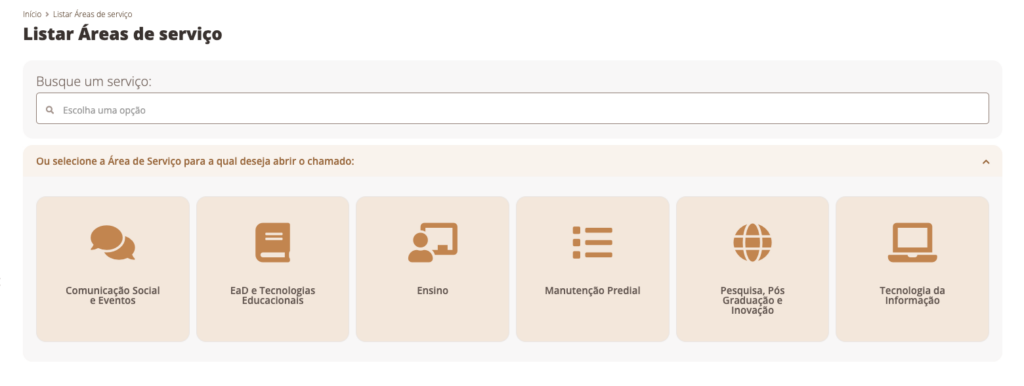
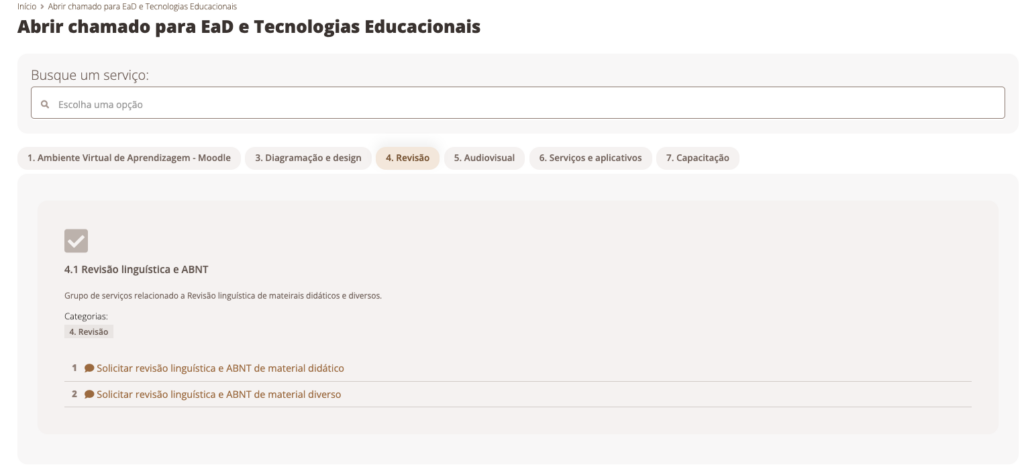
Now, you will select the service category by following this clicks: “EAD e tecnologias educacionais” -> “Revisão”.
4. Choose a linguistic revision
Finally, you have to choose a type of service.
- Request for linguistic review and ABNT of teaching materials: To submit this type of request, the original book must be provided in an editable format. This service is subject to the author’s availability to make corrections.
- Request linguistic review and ABNT of various materials: To request this service, the textual content of the material must be provided.
Now you know how to open a request in SUAP for linguistic revision. Any doubts contact us.
